Antivirus
This tab, named Antivirus and visible in a Computer entry, allows to manage the antivirus running on a computer.
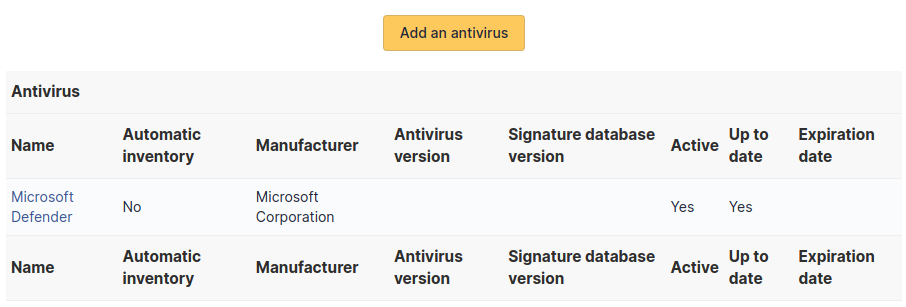
An antivirus is characterized by:
Name
Automatic inventory
Manufacturer
Antivirus version
Signature database version
Active/non active
Update to date
Expiration date
Note
Every deletion or addition of an antivirus is recorded in the history of the computer.
Note
If using native inventory or third-party inventory tool, the antivirus information can be automatically imported and updated.
Add an antivirus
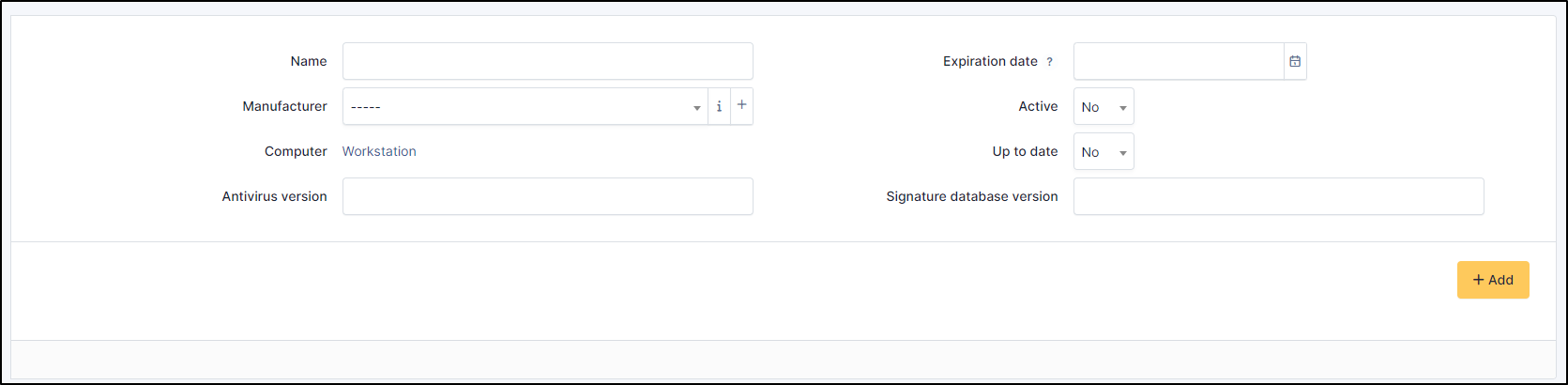
Click on Add an antivirus
Enter the information of the antivirus
If the manufacturer does not exist, you can add one
Note
expiration date is for administrative purposes only, to find out the antivirus expiry date.
Delete an antivirus
To delete an antivirus, you just need to click on Delete permanently
Note
If the antivirus is still present on the workstation, it will be brought up during the next automatic inventory. You will also have to delete it on the workstation in question.