Consumables
The first table lists the consumables that are new. The second table lists the consumables identified as used.
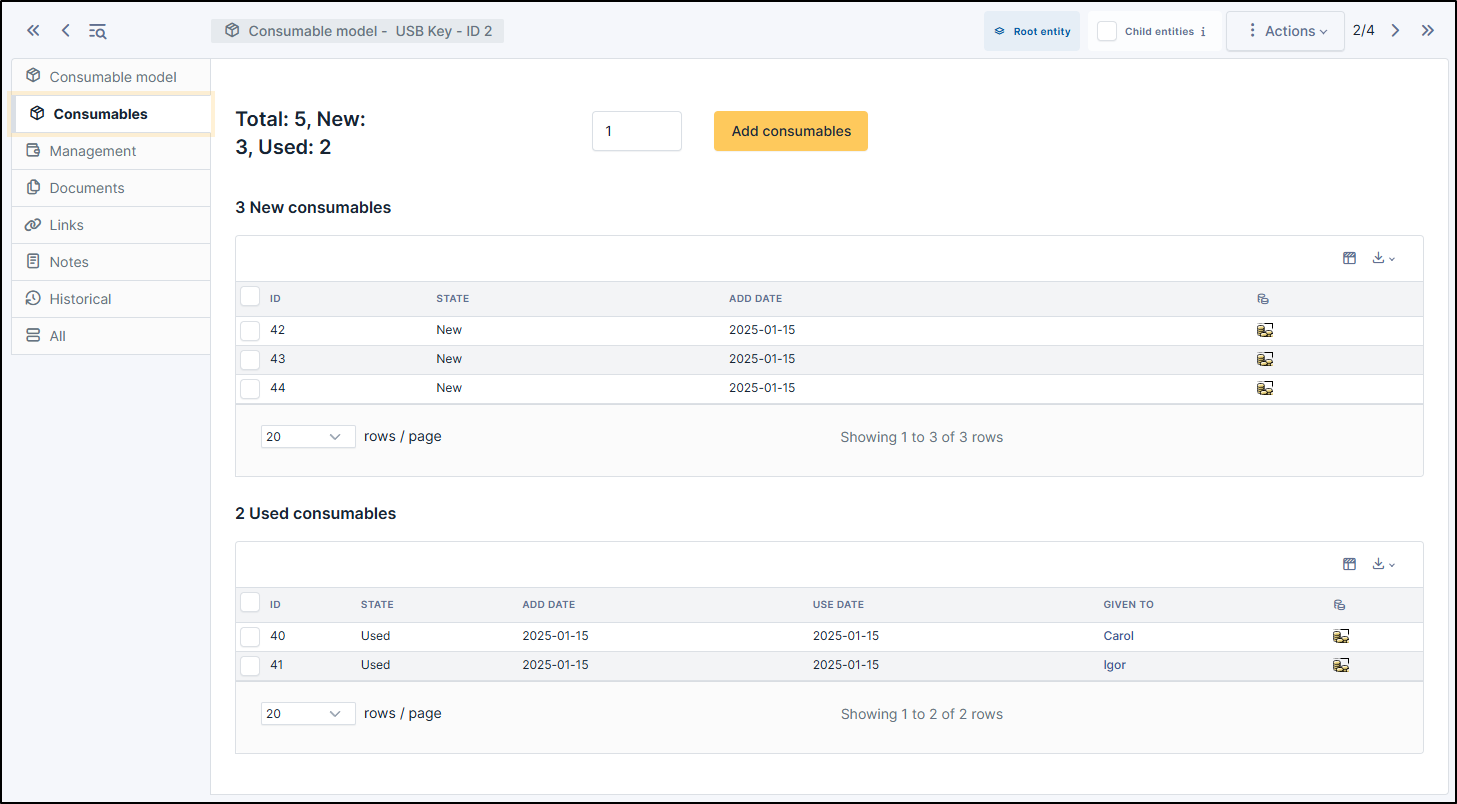
Add consumable in new status
When consumable is created, you can select numbers of item is needed
click on Add consumables
Note
You can add one or more consumable.
Note
The status of the consumable by default is new
Change a consumable in used status
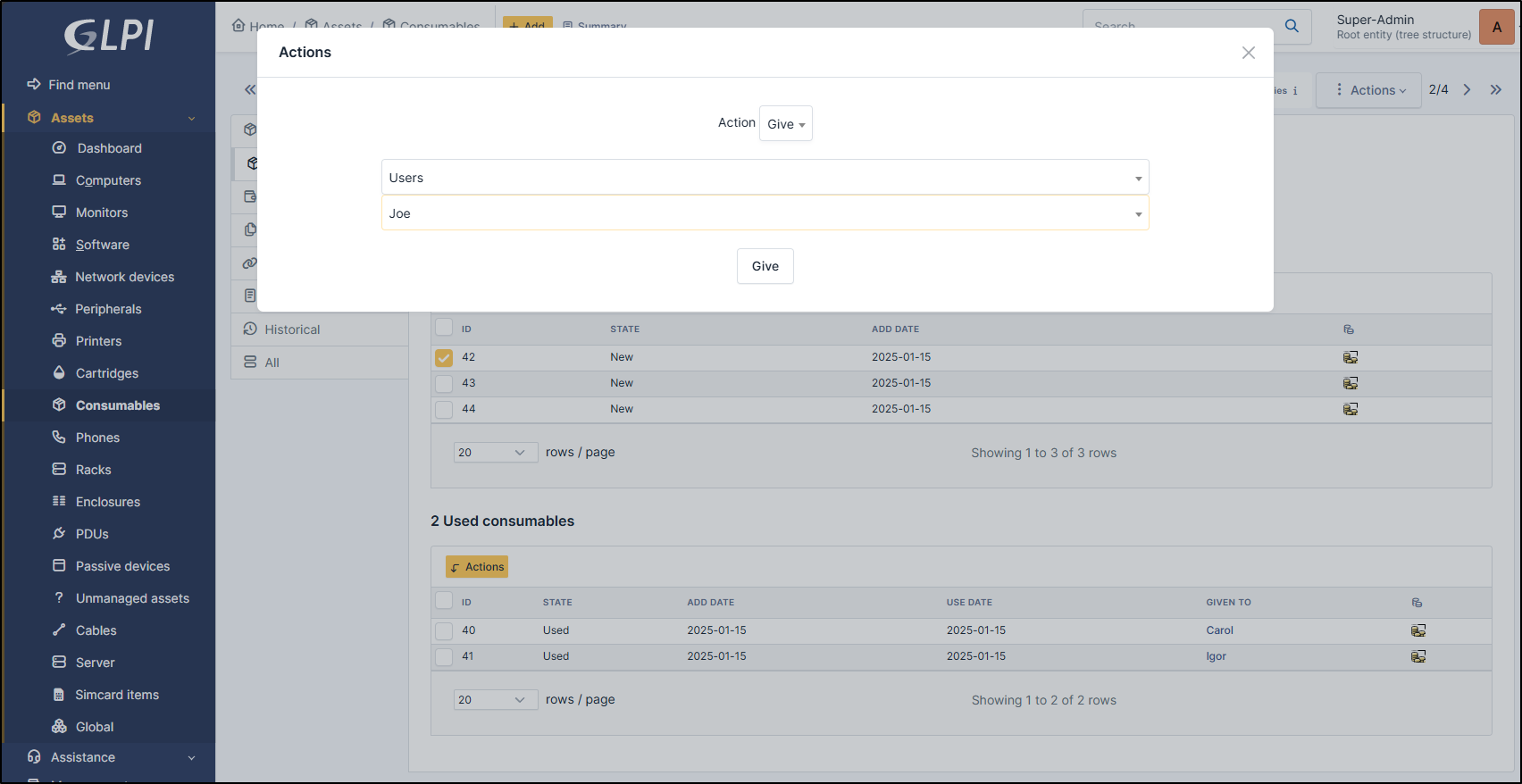
To change the status of a consumable, select it by the check box
Click on Actions button
Select Give
Select groups or users
Select the entry you want
Note
when the consumable is used, you can change the owner of this item by repeating the operation below
Change a consumable to back to stock
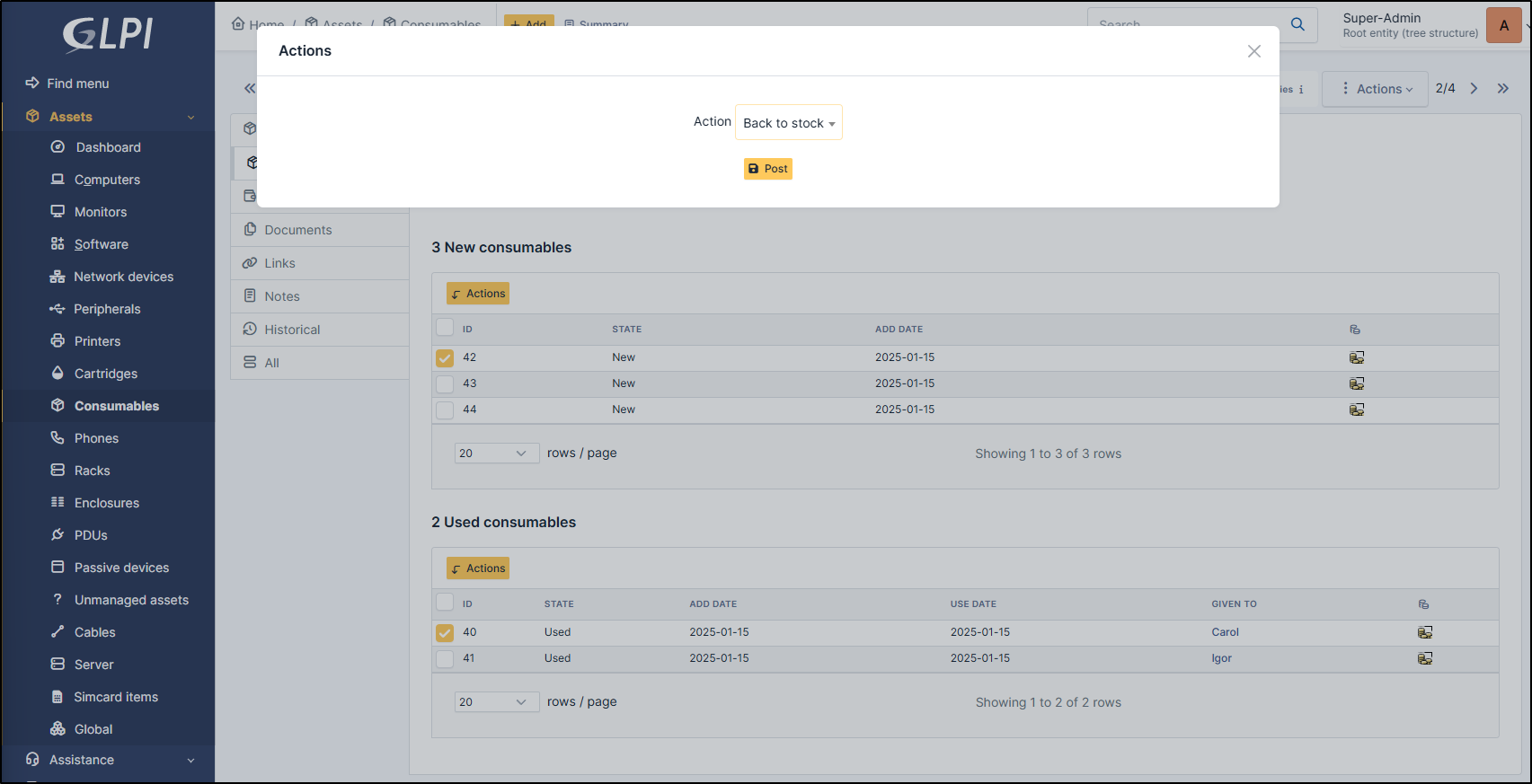
To change the status of a consumable, select it by the check box
Click on Actions button
Select Back to stock
Click on Post
Delete a consumable
To delete a consumable, select it by the check box
Click on Actions button
Select Delete permanently
Click on Post
Note
You can delete a consumable whether it is new or used