Components
Note
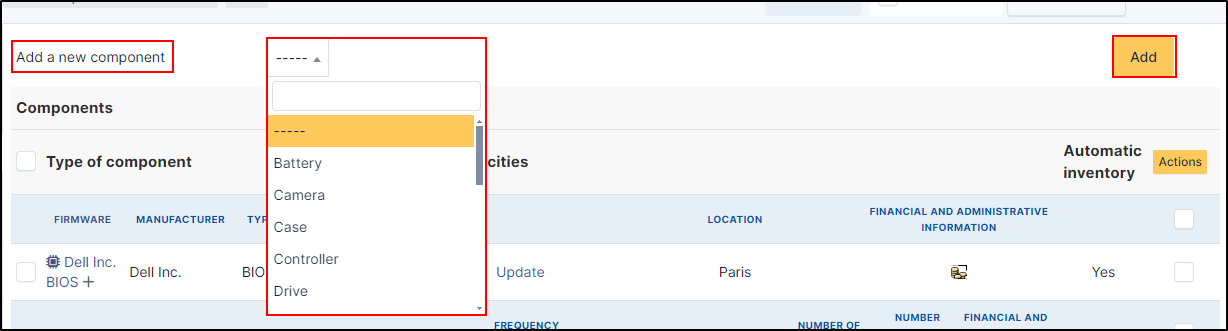
You can add any component by clicking on Add a new component at the top of the screen. The component you want to add must already exist. If it is not in the list, you can add new ones in setup > components.
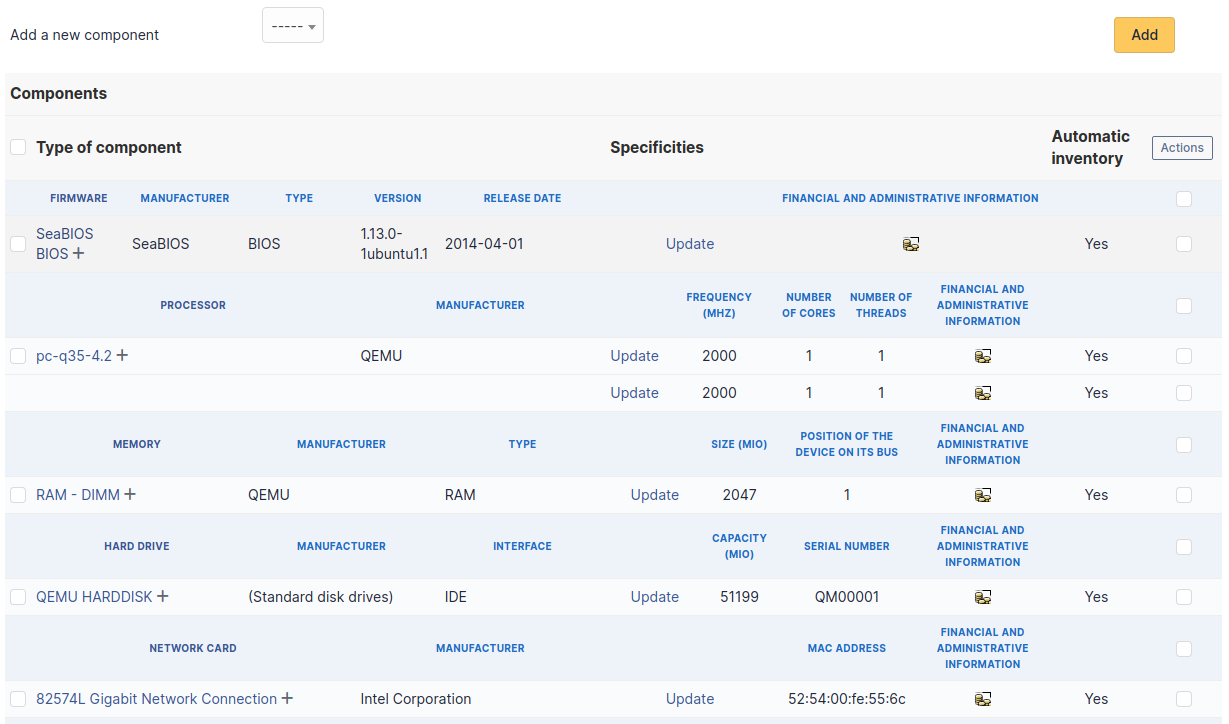
Firmware
The firmware references :
Firmware
Manufacturer
Type
Version
Release Date
Location
Financial and administrative informative (if activated in setup > General > assets tab)
Automatic inventory
Processor
The firmware references :
Processor
Manufacturer
Frequency
Serial number
Location
Number of cores
Number of threads
Financial and administrative informative (if activated in setup > General > assets tab)
Automatic inventory
Memory
Memory
Manufacturer
Type
Frequency
size
Serial number
Location
Position of the device on its bus
Financial and administrative informative (if activated in setup > General > assets tab)
Automatic inventory
Hard Drive
Hardrive
Type
Interface
Capacity (MIO)
Serial number
Location
Financial and administrative informative (if activated in setup > General > assets tab)
Automatic inventory
Network card
Network
Manufacturer
MAC Address
Location
Financial and administrative informative (if activated in setup > General > assets tab)
Automatic inventory
Battery
Battery
Manufacturer
Type
Voltage (MV)
Capacity (MWH)
Serial number
Location
Financial and administrative informative (if activated in setup > General > assets tab)
Automatic inventory
Graphics card
Graphical card
Chipset
Memory (MIO)
Location
Manufacturer date
Real capacity (MWH)
Financial and administrative informative (if activated in setup > General > assets tab)
Automatic inventory
Soundcard
Soundcard
Manufacturer
Location
Financial and administrative informative (if activated in setup > General > assets tab)
Automatic inventory
Controller
Controller
Manufacturer
Interface
Location
Financial and administrative informative (if activated in setup > General > assets tab)
Automatic inventory