Knowledge base
The Knowledge base tab is used to show or add linked knowledge base articles.
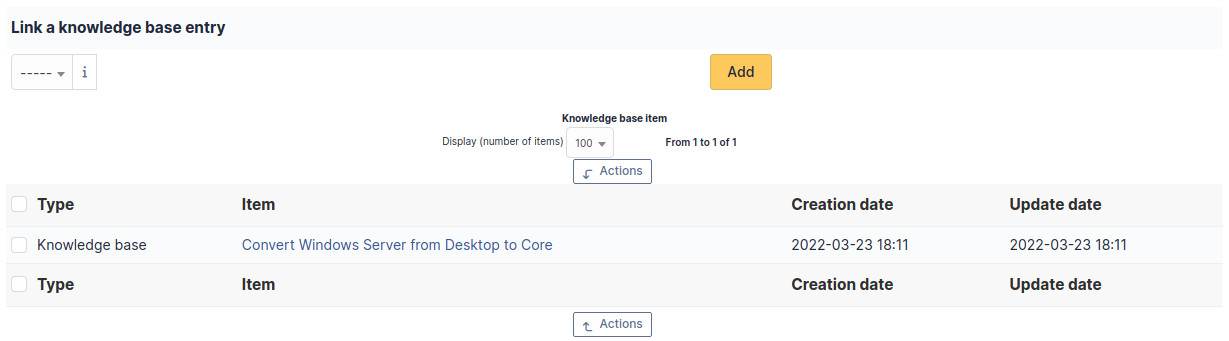
From this window, you can link an existing article to a GLPI object. However, it is not possible to create an article from this section.
Note
You cannot create an article from this tab. To create a new article, go to knowledge base
Link an article
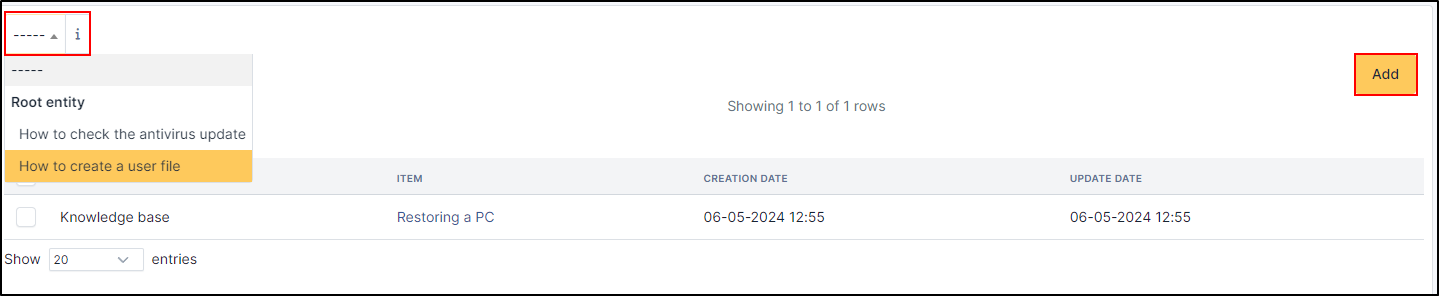
To link an article, you just need to select it in the dropdown lit
Click on Add
Unlink an article
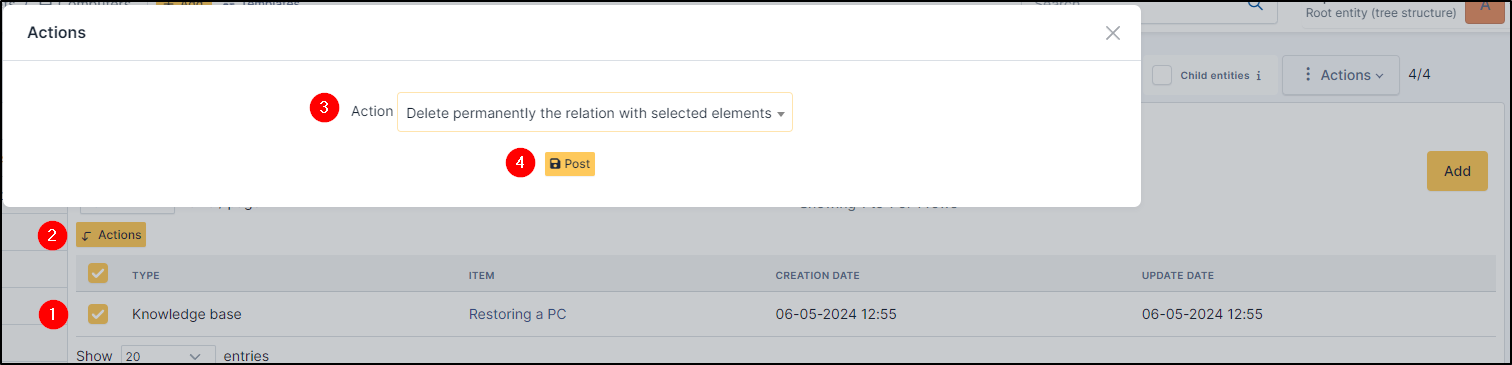
To unlik an article, you need to use the massive action. Click on the checkbox of the item(s) you wish to remove
Click on Actions
Select Delete permanently the relation with selected elements
Click on Post