Users
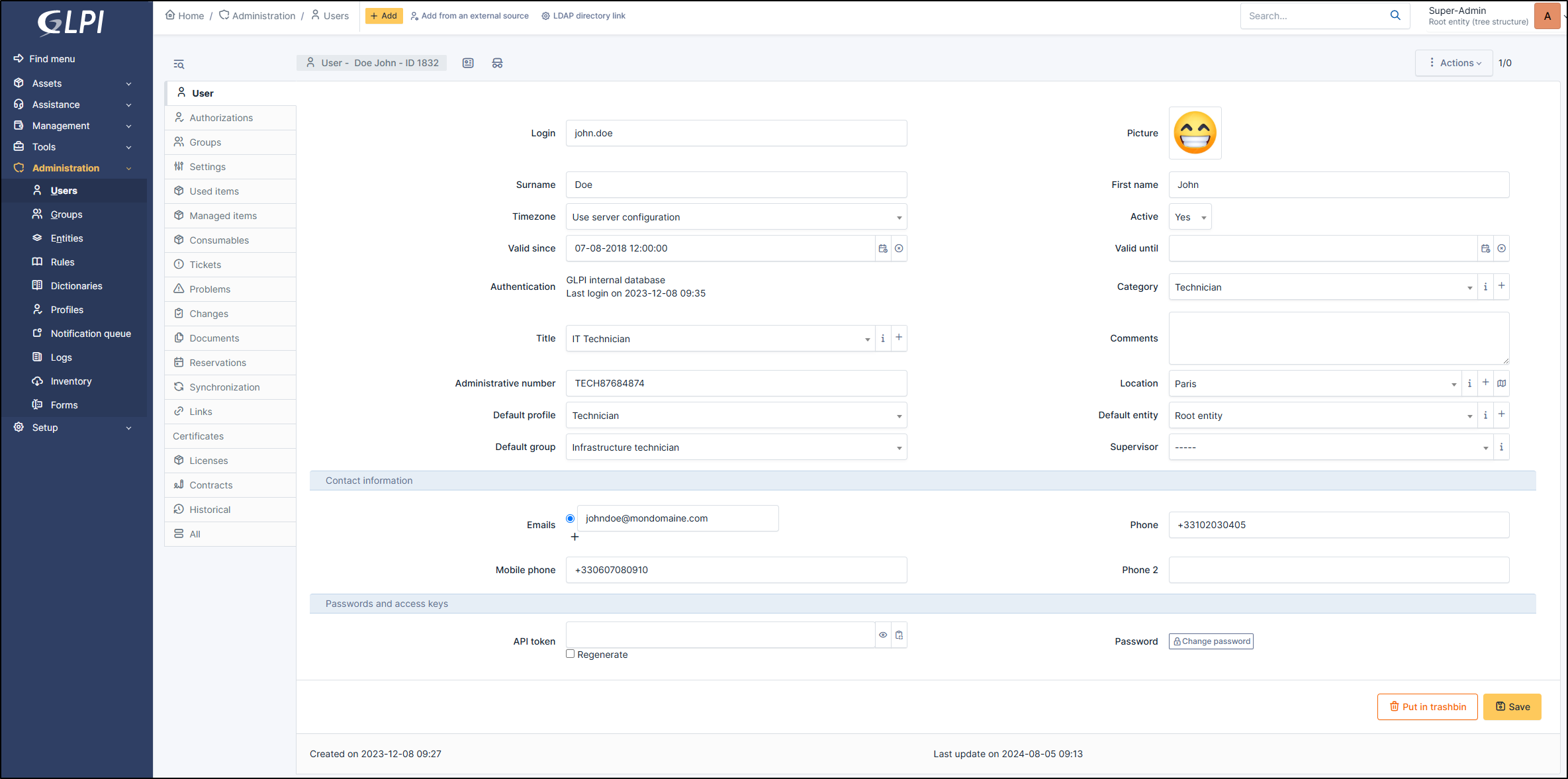
The Users tab allows you to manage their information (mail, name, authorization, etc.).
Avertissement
Some information may not be editable depending on how the user was imported. For example, the email address of a user imported from an LDAP(S) cannot be modified.
Astuce
You can import users. You can refer to import users
It is possible to deactivate a user if needed. If deactivated, the user can no longer be selected in drop-down menu for tickets or inventories, but keeps associated items and tickets. Validity dates can also define the activity time slot of user: the user account will be considered as active only after the start date and/or before the end date. Both dates can be defined independently.
A photo can be added manually or imported automatically from a directory (see Authenticate users with LDAP).
Impersonate
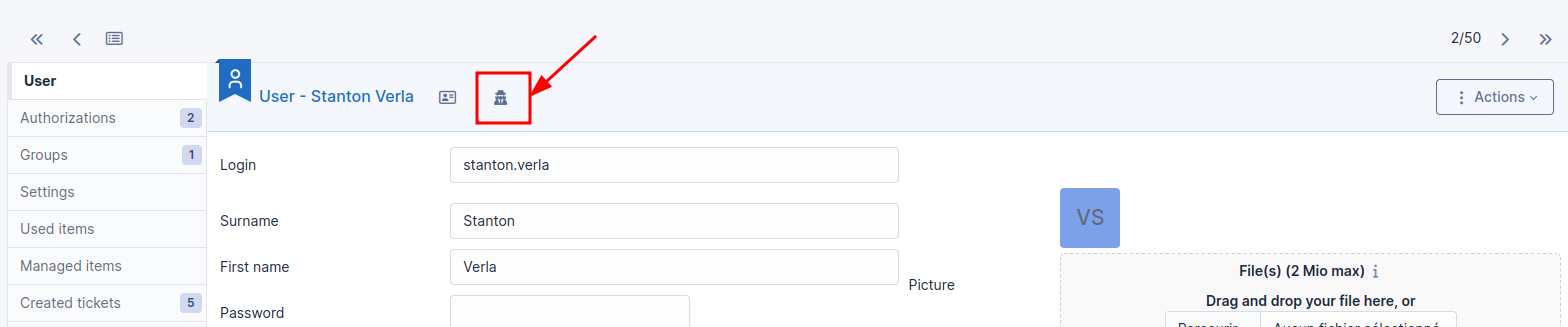
For debugging or administrative purposes, it’s possible for a “super-admin” account (or any profile with the configuration rights) to temporarily take the ownership of another user’s account without knowing its password. An icon is available at the top of the user´s form to perform this action.
To note:
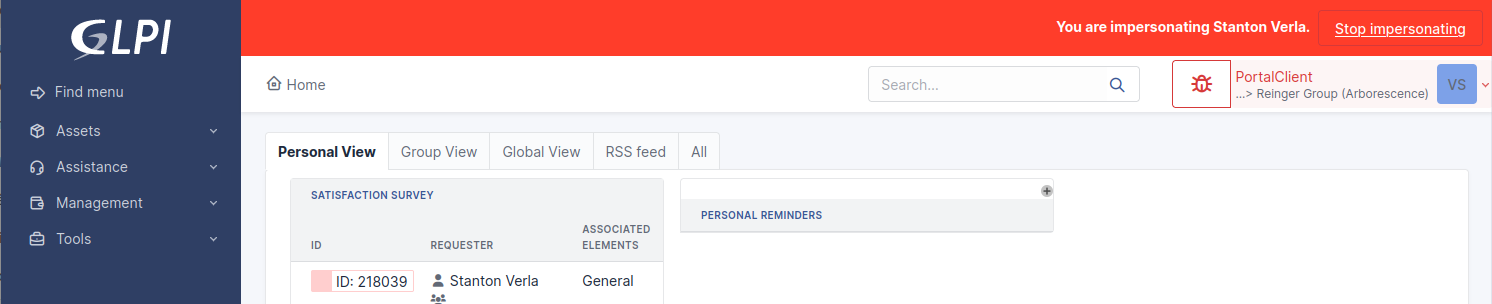
A special banner will show permanently as long as the function is active and will allow you to exit this mode.
After the exit, the user will retrieve its session as it was before using the feature.
The history of actions taken by the administrator will appear with a special note: “user (xxx) impersonated by admin (yyy)”.
Avertissement
Impertonate allows users whose current profile is higher or equally privileged as every profile of the other user. For example, a technician with this right could impersonation self-service users but not admins. This is mainly to avoid privilege escalation.
Vcard
You can download a user vcard by this icon :

In a display form, the following information is available:
User Information
Login* : Used to log in to GLPI.
Surname*
Firstname
Timezone: by default « use server configuration ». If timezone are not active, go to timezone
Active
Valid since
Valid until
Authentication* : Indicates the authentication source (internal database, LDAP or other)
Category
Title
Comments
Administrative number
Location
Default profile
Default entity
Default group
Supervisor
Contact information
Emails*
Phone
Mobile phone
Phone2
Password and access keys
API token
Password
(*) If the user was imported by a provider (LDAP, SCIM, etc.), this information cannot be modified manually.
Groups
This tab lists the groups associated to the user. Table includes group name, whether the group is dynamic (i.e. linked to a directory service), whether the user is delegatee or manager for the group.
If modify user authorization is granted, it is also possible from this tab to assign a group to the user.
For more details, go to Manage groups
Settings
This tab allows to edit user’s settings (see Manage settings). In order to be able to modify data in this tab, general configuration modification authorization must be granted.
Information modified from this tab takes priority over the general configuration of glpi
Used items
Used items lists the items for which user is defined in field User of the item (computer, monitor, peripheral, etc.) por for which user is member of the group defined in field Group of the item.
Managed items
Managed items lists the items for which user is defined in field Technician in Charge of the item or for which user is member of the group defined in field Group in Charge of the item.
Consumables
Consumables lists all items assigned to the user.
Created tickets
Tickets references all tickets created by the user.
Probems
Problems references all problems created and assigned to the user.
Changes
Changes references all changes created and assigned to the user.
Documents
It is possible to add documents to user files
Reservations
This tab lists passed, current and future reservations of the user. In order to see this tab, read authorization on reservation management must be granted.
Synchronization
This tab is displayed if Update Authentication and Synchronization right is granted. It allows to change authentication method for the user and to force its synchronization.
Links
This tab list external links defined for users.
Certificates
Certificates allows you to bind a certificate to a user. This is for informational purposes only.
Licenses
Licenses allows you to bind a lincence to a user. This is for informational purposes only.
Contracts
Contracts allows you to bind a certificate to a user. This is for informational purposes only.
Historical
Historical lists all the actions carried out on the object in question